

Highlights
Quality assurance in automation requires more than passing tests -— it demands clean, consistent code. Our latest blog explains how Checkstyle, a Java static analysis tool, enforces coding standards to keep QA automation frameworks reliable and scalable. You’ll learn how Checkstyle detects code smells, improves maintainability, integrates into CI/CD pipelines, and reduces review overhead. The blog also compares alternative tools like PMD and SonarQube, outlines setup steps with Maven and VS Code, and shares strategies to overcome drawbacks such as build-blocking minor issues. Whether you use Selenium, REST-assured, or Appium frameworks, Checkstyle ensures a trusted, maintainable codebase for long-term automation success. So, this is a must-read!
Quality Assurance Automation isn’t just about making sure tests pass—it’s about creating a foundation that teams can trust and scale. A poorly written or inconsistent test script can slow down development, confuse new team members, and even introduce hidden risks. That’s why maintaining a clean, consistent, and readable codebase is just as critical as writing functional test cases. Tools like Checkstyle step in here, offering automated enforcement of coding standards, improving code readability, and catching issues before they ever reach production.
In this blog, we’ll dive into what Checkstyle is, uncover its key benefits for QA automation frameworks, and walk you through a step-by-step guide to integrating it seamlessly into your projects.
So, let’s get started with the basics!
What is Checkstyle in QA Automation?
In simple words, Checkstyle can be defined as a static code analysis tool that checks Java code against a set of configurable coding standards. It acts like an automated reviewer, scanning through the codebase to spot any deviations from established rules. By flagging these violations early, Checkstyle ensures that developers and quality assurance engineers work with code that follows consistent practices, ultimately encouraging cleaner and more maintainable code throughout the project lifecycle.
Now, let’s understand the benefits of using Checkstyle in QA automation frameworks.
Why Use Checkstyle in QA Automation Frameworks?
Here are some of the major benefits of using Checkstyle in QA automation frameworks:
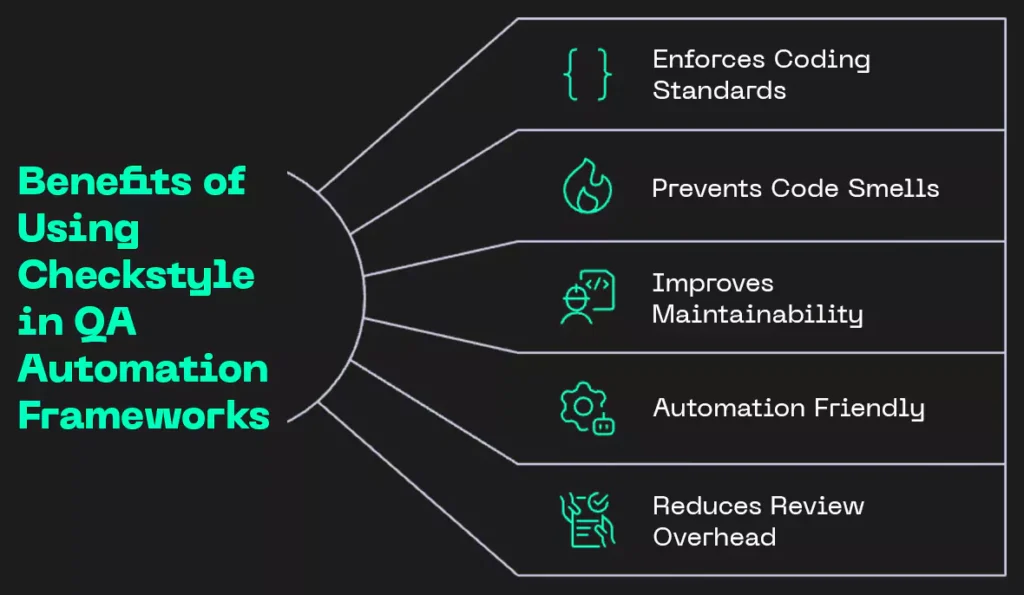
Fig: Benefits of Using Checkstyle in QA Automation Frameworks
- Enforces Coding Standards: Helps maintain a uniform style across the entire test codebase by ensuring developers follow predefined coding rules. This consistency not only improves readability but also makes collaboration between different teams smoother and more efficient.
- Prevents Code Smells: Actively detects and highlights common coding pitfalls such as overly long methods, magic numbers, or poorly chosen naming conventions. By addressing these early, it prevents the buildup of bad practices that could otherwise affect the overall quality of the project.
- Improves Maintainability: Promotes a cleaner, well-structured codebase that is much easier to debug, review, and refactor. Over time, this reduces technical debt and ensures that the automation framework remains sustainable as it continues to grow.
- Automation Friendly: Easily integrates into CI/CD pipelines, enabling automated checks that catch poorly formatted or inconsistent code before it gets merged. This proactive step helps maintain code quality without slowing down the delivery process.
- Reduces Review Overhead: Takes care of repetitive style and formatting checks automatically, freeing up reviewers to concentrate on more critical aspects like logic, functionality, and overall test coverage. This leads to more meaningful and productive code reviews.
Apart from these advantages, although traditionally used in software development, Checkstyle is equally valuable in QA automation frameworks, including:
- Selenium WebDriver frameworks
- REST-assured API test frameworks
- Appium-based mobile testing
- TestNG / JUnit test suites
- Cucumber-based BDD frameworks
Just in case you’re wondering, here is a list of things that you can check with Checkstyle:
- Naming conventions (classes, variables, methods)
- Indentation and spacing
- Javadoc comments
- Import ordering
- Method length and file size
- Use of magic numbers
- Complexity (cyclomatic, nested blocks)
- Empty blocks, catch clauses
- Duplicate code patterns
- Deprecated APIs usage
I trust this has given you a clear picture of its capabilities.
If you wish to understand the kind of languages Checkstyle supports, I’ve provided a short context in the next section.
Keep reading!
What Languages Does Checkstyle Support?
Java is the primary language that Checkstyle is designed for. Built specifically to analyze Java code, it focuses on checking and improving its style, structure, and overall consistency.
If you’re wondering about other languages, well, it does not support them. So, programming languages like Python, JavaScript, or C# are not compatible with Checkstyle.
However, there’s a catch!
In case you’re using or prefer to use those languages (ones apart from Java) in your QA automation projects, you’ll need to use different tools that work specifically for them.
Here are some popular tools you can use for other languages:
- For Python: Use tools like Pylint or Flake8 to check the quality and style of Python scripts.
- For JavaScript / TypeScript: Use ESLint to catch problems and enforce coding standards.
- For C#: Use StyleCop to check for style and consistency in C# code.
- For Kotlin: Use ktlint to keep your Kotlin code clean and well-formatted.
Now that the theoretical concepts are clear, let’s move on to setting up Checkstyle so you can begin exploring its full potential.
How Can You Set Up Checkstyle for Your Project?
Here are the steps that you can follow to enjoy a seamless journey while setting up Checkstyle:
Step 1: Add the Checkstyle Plugin to Maven
To add the Checkstyle plugin to Maven, you can use this code snippet:
<plugin>

<groupId>org.apache.maven.plugins</groupId>

<artifactId>maven-checkstyle-plugin</artifactId>

<version>3.1.0</version>

<configuration> <configLocation>${basedir}/src/main/java/com/example/resources/google_checks.xml</configLocatio>

<includeTestSourceDirectory>true</includeTestSourceDirectory>

<consoleOutput>true</consoleOutput>

</configuration>

<executions>

<execution>

<id>checkstyle</id>

<goals>

<goal>checkstyle</goal>

</goals>

<phase>prepare-package</phase>

</execution>

</executions>

</plugin>
Step 2: Download or Create a Configuration File
You can do either of the two:
Download Google Java Style: google_checks.xml
Or
Create a custom configuration to suit your team’s needs.
Step 3: Set Checkstyle Config File in VS Code
To accoomplosh this, here’s what you need to follow:
- In VS Code, go to the google_checks.xml file in the Explorer pane.
- Right-click on the file.
- Click on “Set the Checkstyle Configuration File”.
- This will update the workspace settings (settings.json) automatically like this:
{

// Enables Checkstyle in VS Code

"java.checkstyle.enabled": true,

// Path to your custom configuration file (Google Style in this case)

"java.checkstyle.configuration": "file:${workspaceFolder}/src/main/java/com/example/resources/google_checks.xml",

"java.checkstyle.checkstyleVersion": "10.26.1"

}
Step 4: Run Checkstyle
There are 2 ways to run Checkstyle:
Method 1: Automatically as You Type
- Real-Time Highlighting: As you write your code, Checkstyle continuously scans it and immediately highlights any violations of coding standards. This allows you to catch mistakes on the spot, rather than discovering them later in the development process.
- Error and Warning Indicators: Detected issues are marked directly in your code as underlined lines. By hovering over these lines, you can see detailed messages explaining the nature of the violation and how to fix it, helping you learn better coding practices as you go.
- Centralized Issue View: For a comprehensive overview of all detected problems, you can open the PROBLEMS panel. This panel lists every issue in one place, making it easier to prioritize fixes. Access it quickly using Ctrl + Shift + M or by navigating to View > Problems in your IDE.
Method 2: Run via Command Palette
- Open the Command Palette: Press Ctrl + Shift + P on Windows/Linux or Cmd + Shift + P on Mac to bring up the Command Palette. This is a quick way to access commands without navigating through menus.
- Select the Checkstyle Command: In the palette, type “Checkstyle: Check Java Style” and select it. This initiates Checkstyle to analyze your code for any style violations based on the configured rules.
- Choose Files or Folders: After invoking the command, you can select specific files or entire folders you want Checkstyle to scan. This gives you the flexibility to run checks on only the parts of your codebase that are relevant at the moment.

Learn how we applied a powerful technology stack to shorten regression cycles and boost customer experience for a leading data-integrity solutions provider.
Now, you’ll learn about the various code editors that can work with Checkstyle to help you automatically check and improve your code while you write it.
How do IDEs work with Checkstyle to improve code quality?
Here are the various IDEs that support Checkstyle:
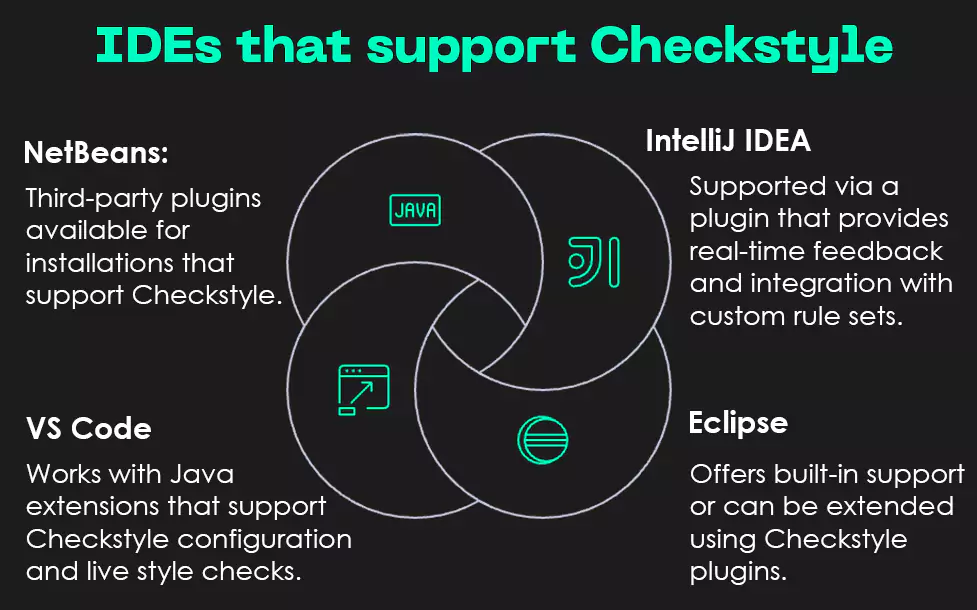
Fig: IDEs that support Checkstyle
- IntelliJ IDEA: Supported via a plugin that provides real-time feedback and integration with custom rule sets.
- Eclipse: Offers built-in support or can be extended using Checkstyle plugins.
- VS Code: Works with Java extensions that support Checkstyle configuration and live style checks.
- NetBeans: Third-party plugins available for installations that support Checkstyle.
Did you know?
There are several tools similar to Checkstyle that you can consider. The best choice, however, depends on the specific requirements and nature of your project.
Let’s explore a few of them next!
Which Tools Can be Used as Alternatives to Checkstyle?
Checkstyle is great for keeping Java code clean and consistent, but it’s not the only tool out there. Here are some other tools that are also used for code quality and style checking:
- PMD: Finds issues like unused variables, empty catch blocks, and duplicated code. It can be used along with Checkstyle for deeper analysis.
- SpotBugs (formerly FindBugs): Looks for bugs in Java bytecode (like null pointer issues or infinite loops).
- SonarQube: Checks code quality, security, and bugs. It provides a dashboard to track issues and maintain code health over time.
Despite all the available options, Checkstyle still stands tall amongst the rest. The reason? Keep reading to know why.
Why Choose Checkstyle Over Other Tools?
Here are the reasons that make Checkstyle stand out from other similar tools:
- Lightweight and Fast: Checkstyle is a lightweight tool focused purely on style and formatting issues. Use Checkstyle when you want quick feedback specifically about code cleanliness and formatting.
- Highly Customizable: Checkstyle allows for deep customization of rules through XML configuration files. This means your team can define specifics such as how to name classes and methods, how long methods should be, or how code should be spaced and organized.
- Better for CI/CD Integration: It works really well with tools that build and test your code automatically, like Maven, Gradle, Jenkins, or GitHub Actions. If your code doesn’t follow the style rules, Checkstyle can stop the build and let you know right away. This helps identify problems early and keeps bad code from being added to the project.On the other hand, SonarLint is usually used inside your code editor and only gives feedback while you’re writing code. It doesn’t block bad code from being merged or built unless you connect it to other tools like SonarQube.
- Easier to Learn & Use for QA Engineers: Compared to tools like SonarQube, which often require server setup and a deeper level of understanding of complex rule categories, Checkstyle is easier for QA engineers and testers to adopt and use without heavy development involvement.
Note: To make your move cautiously, you must be aware of some of the gray areas of Checkstyle as well.
How Can You Navigate Checkstyle’s Drawbacks?
Here are the two limitations of Checkstyle that you can jump through with the right strategies:
1. May Block Builds for Minor Issues: Small issues like missing Javadocs, incorrect indentation, or line length violations can sometimes block the build.
How to Overcome: Adjust the severity of minor rules so they don’t fail the build but still get reported for review.
2. Initial Learning Curve: Developers may find it challenging to understand each rule and adapt their coding habits to prevent repeated violations.
How to Overcome: Start with default configurations and gradually customize rules, providing guidance and examples to help the team adapt.
So, integrating Checkstyle into your QA automation framework ensures code quality and consistency at scale. Whether you are working in UI automation or API testing, maintaining a high standard of code makes debugging and maintenance smoother, and speeds up development in the long run.
Make clean code a habit, not an afterthought—start using Checkstyle today.
Tune into our latest ‘Tech in 1 Minute’ as Preety Singh explains APIs in plain English, then share your takeaways.
Write to us with your thoughts after using Checkstyle. You can also share your project details with us at Nitor Infotech. Contact us and our experts will craft a customized roadmap to turn ideas that others are only envisioning into reality.
See you soon!